
광고
스크린샷


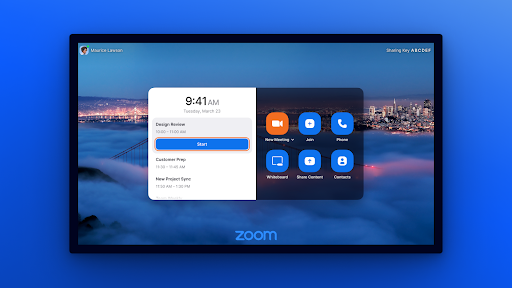


설명
Zoom을 사용하면 갤러리 보기 및 화면 공유 기능을 갖춘 화상 회의를 한 번만 클릭하면 됩니다. 다른 장치, Windows 또는 Mac 컴퓨터, 휴대폰 및 태블릿, Zoom Rooms, 기존 회의실 시스템 및 전화기를 사용하는 모든 사람과 연결할 수 있습니다. 정말 쉽습니다! Zoom 앱을 설치하고 Zoom 사용자 계정으로 로그인하면 Zoom 회의를 시작하거나 참여할 수 있습니다. 주요 특징: - 장치에서 한 번의 클릭으로 Zoom Meetings을 쉽게 시작하고 참가할 수 있습니다. - HD 비디오 및 오디오는 선명한 통신을 의미합니다. - 캘린더 통합으로 일정을 준수할 수 있습니다. - 전화, 이메일, Zoom 연락처를 통해 친구나 동료를 쉽게 초대하세요. - 회의 중 채팅 보기 - 소회의실에 할당되는 기능 최대 100명이 참여할 수 있는 회의는 40분 제한으로 무료로 시작하세요. 소셜 @zoom에서 우리를 팔로우하세요! 질문이 있나요? http://support.zoom.us로 문의하세요.
업데이트 내용
Report button in waiting rooms<br>Meeting survivability support<br>Joining meetings with matching personal link names<br>Support Real time meeting stream for developers<br>Show the participant list in a right-side panel by toggling the new screen option<br>Improvements to home screen during Pexip calls<br>Explicit consent requirement for AI Companion (AIC) recordings<br>Contextual guidance for QR code and room code<br>Additional configuration options for AI Companion consent<br>Account-wide contact presence disabling
판매자: Zoom Communications, Inc.
번들 ID: us.zoom.tv
연령 등급: 만 12세 이상
최소 Android: 6.0
출시일: 2023년 6월 26일
업데이트: 2026년 1월 15일
광고